13.36 Direct entry of stem profile data
|
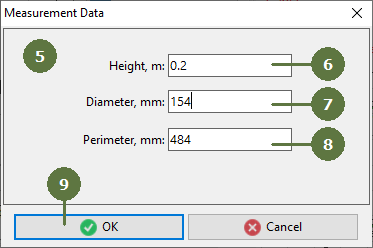
Measurements of individual points defining the stem profile can be manually edited by selecting them in the list and clicking "Edit measurement" button.
|
First measure the tree height
Note: If you type a diameter then the perimeter will be automatically calculates and vice versa.
Repeat steps 4 to 8 with other points on stem profile
|