13.32 Remote measuring of a tree diameter
|
Inclination to the stem base is necessary for the calculation of the height of tree diameter measurements. Inclination to the first diameter & horizontal distance to stem surface Inclination and distance to stem surface are measured together using a laser rangefinder in combination with an electronic inclinometer. The measurement can be done both with or without a foliage filter. If using a foliage filter, place the reflector at the surface of the tree stem where the first diameter measurement has been taken. Storing height of measurement If a proper attribute is defined in Field-Map project, the height of measured diameter is automatically stored. The name of such attribute has to meet naming requirements: it is derived from diameter attribute name with an “H” added to its beginning (e.g. for the diameter attribute “DBH_ mm” the proper height attribute name would be “HDBH_m”). |
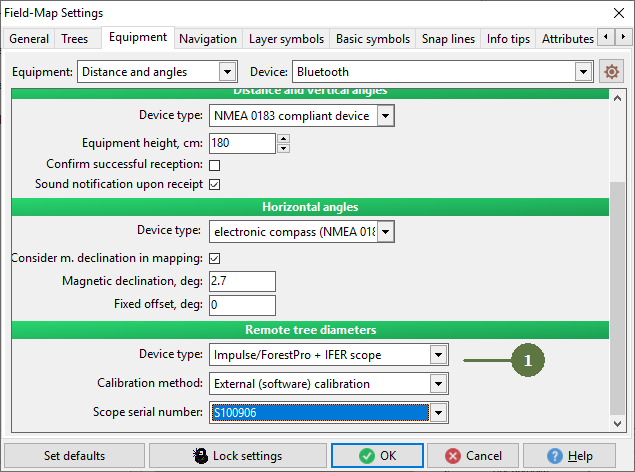
1. Check Settings/ Equipment if devices are set correctly
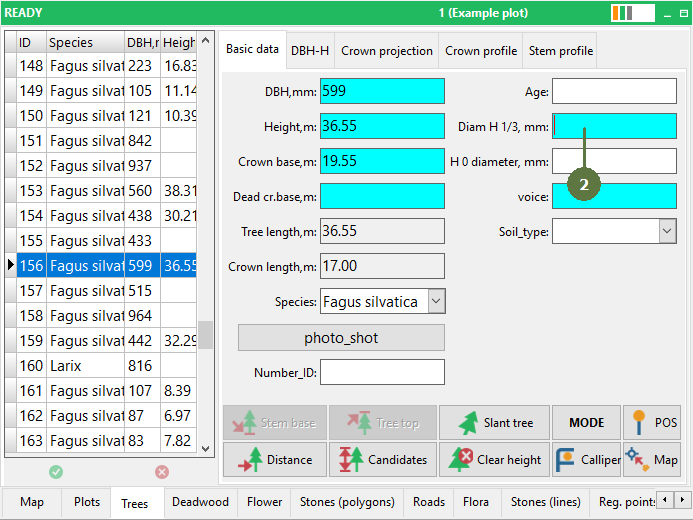
2. On the Tree form click the Diameter edit box
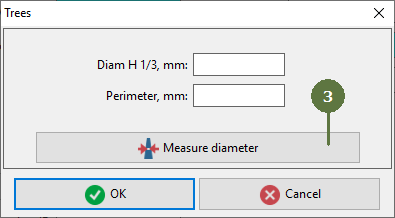
Note: It is a attribute with name Tree diameter 3. In the newly appeared dialog box click the Measure diameter button
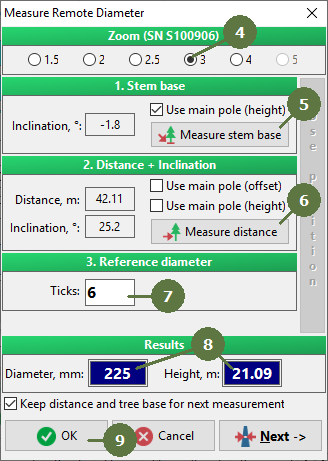
4. In the “Measure remote diameter” dialog box choose Zoom and set it on the scope. Zoom is available if you choose in the Settings/ Equipment devices - Impulse / ForestPro. Otherwise zoom is hidden 5. Click the Measure stem base button and aim at the base of the tree The inclination to the stem base appears in the edit box You are automatically redirected to measure the distance and inclination to the diameter measurement location on the stem 6. Measure the distance and inclination 7. Read the number of ticks from the scope and type it into the Ticks edit box 8. Results appear in the blue boxes 9. Click OK
Note: Values appearing in parentheses are temporary and change during further calculations. |