|
Activating and deactivating lookup list contents
Field-Map Data Collector generally supports lookup lists with many items. Sometimes the lookup list could consist of hundreds of items (e.g., herbs or tree species). In such cases it is inconvenient and time consuming to look through the entire lookup list each time you want to specify a lookup list attribute. The “Edit lookup list” option allows the user to reduce the contents of a lookup list to match particular conditions of the plot, and respectively, to de-activate all items which are not present on the plot. De-activated items are not deleted from the lookup list.
De-activate all
To reduce large lookup list to just several items click De-activate all button and then activate those items you need.
|
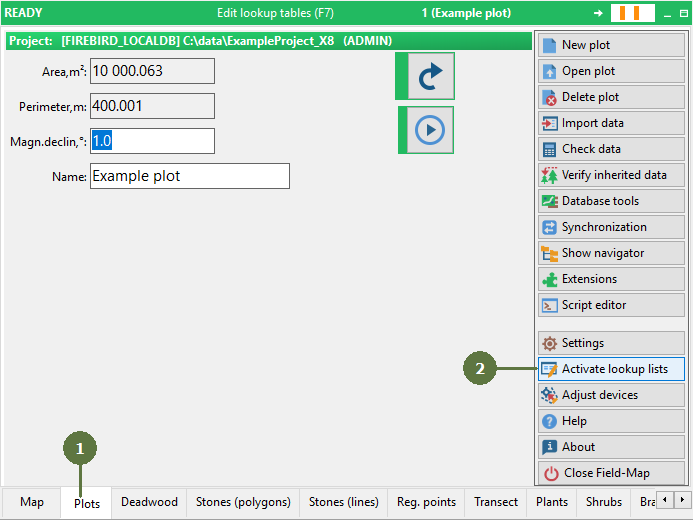
- Switch to the Plots form
- Click the Activate lookup lists button
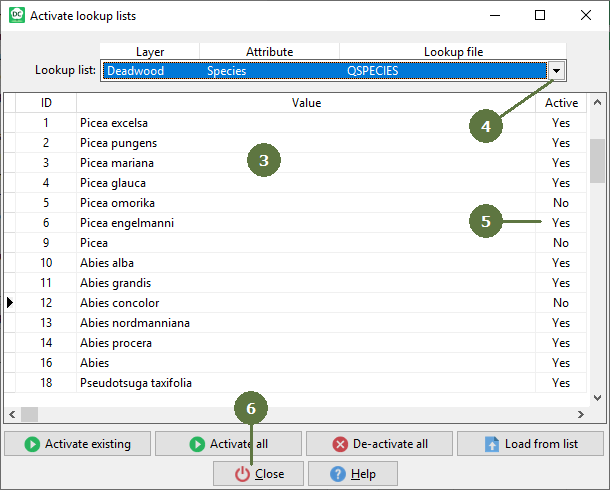
- An "Activate lookup lists" dialog box appears
- Select the lookup list
- Clicking on attributes in the “Active” field you can change between yes (i.e., active) and no
Repeat step 4 for each item, which you want to activate/deactivate
- Click Close
|