4.16 Navigation
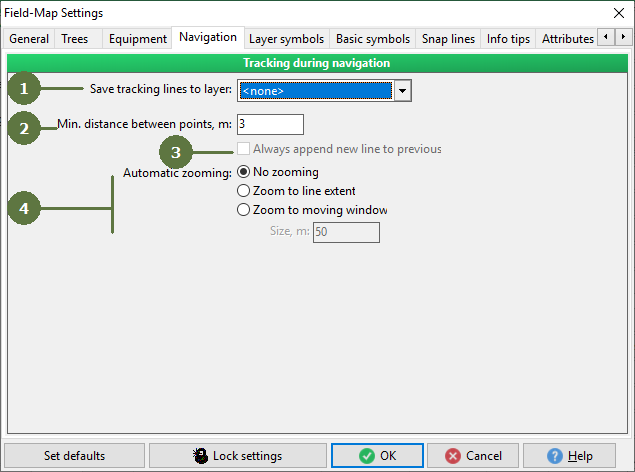
You can choose the line/polygon layer to store the navigation tracking line.
- Min. distance between points
Enter the distance between the vertices of mapped tracking lines.
- Always append new line to previous
If checked, a new line is always appended to the previous line, the previous line will be prolonged.
- Automatic zooming
Automatic zoom defines how the zoom will behave when the line is mapped. No zooming means that zoom remains the same, as it was when line mapping started. Zoom to line extent means that Field-Map continuously change the zoom depend on extend of mapped line. Zoom to moving window means that particular area, defined in Size textbox remains visible and the window is moving ensuring that last segment of line is always visible.