13.43 Principles of attributing in repeated measurement
Management of attributes changes by repeated measurement is created during coping of a layer in Field-Map Project Manager (see chapter Working with layers in Field-Map Project Manger User Guide).
In order to increase productivity of fieldwork and to improve quality of data the attributes might be prepared several ways (see Adjustment of verification parameters for attributes chapter).
The values of attribute can be
- copied (e.g. tree species)
- copied conditionally (e.g. DBH)
- made ready for verification.
Conditional copying of attribute value means that the value is visible in field form. It is presented using italic font and requires replacement by new value or confirmation.

On-line verification is run automatically whenever the attribute value has changed. New value is compared with the old one and if the difference is found then the confirmation dialog appears. User has three options for choice:
- Both new and old value are accepted, i.e. the change is being approved and recorded,
- Old value is found to be correct and new value is replaced by old value
- New value is found to be correct and old value is replaced by new value; in such a case the description of the change is automatically recorded to OldChangesLog table and therefore all changes to old data are well described and can be reversed if necessary. In order to make this type of validation available the option of “Old change” needs to be activated during data preparation. If for some reason the old value of attribute is missing then the old value is automatically filled by the new value.
All changes towards native layer are written into “AllChangesLog” file placed in Field-Map root directory.


Somewhat more complex is the situation when conditional lookup list is verified. Available items of conditional lookup list depend on master attribute and therefore in some cases the value of old and new attributes cannot be changed – the only option is to accept both values as they are.
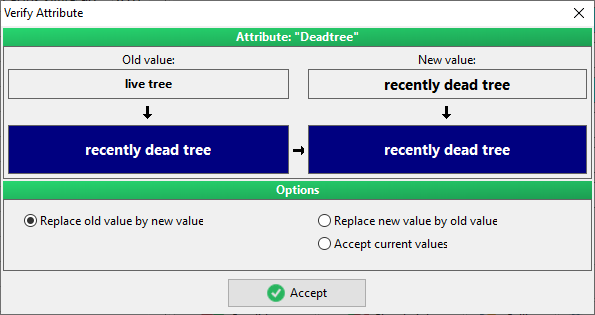
Values of conditional lookup list attributes are changed automatically upon the change of master attribute. If for instance conditional lookup list has only one item for particular master attribute then it is filled automatically. If there are more options then the value remains empty.

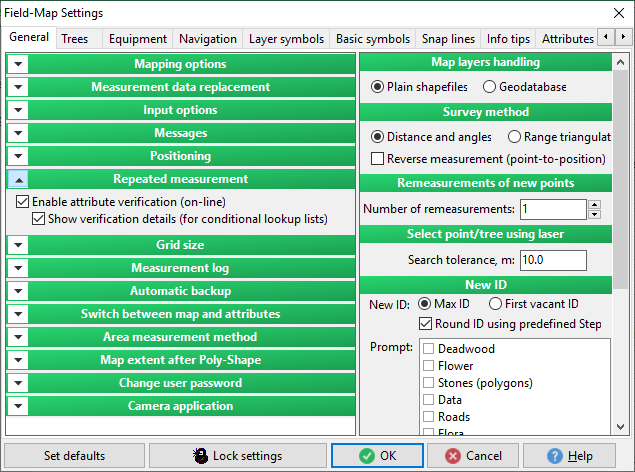
The behavior of verification can be adjusted using settings. It is possible to switch the on-line verification off and it is possible to switch on/off the appearance of confirmation dialogs for conditional lookup list attributes. If it is switched on then the sequence of confirmation dialogs appear in reaction to the change of master attribute. If it is switched off then the changes of conditional attributes are made as well but the dialog is not shown.
Off-line verification of attribute values means that the verification is done on user’s demand. When the verification procedure is run then all data of current plot are checked according to predefined verification scheme. The results of verification are presented in separate dialog for further resolving of conflicts. (See “Verify inherited data” procedure in Plots chapter for more information.)