|
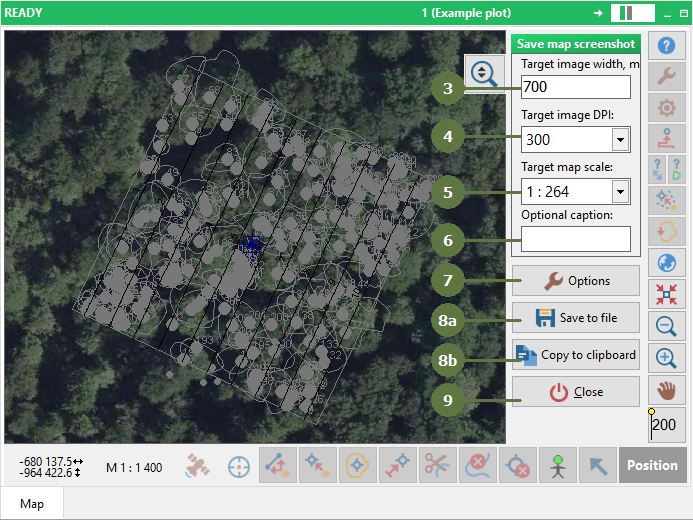
Use this tool for simple exporting map view extent with all active layers and background map into raster image. Possible image formats are JPG and BMP or directly pasting from clipboard.
|
- Click the tools button
- Choose Save map screenshot

- Adjust desired targed image width
- Adjust target DPI
- Choose map scale
- Fill in optional caption
- Options
- Export map view to:
a) Save to file
b) Copy to clipboard
- Close the tool
- If you click on the Save to file button, then appears a window. Browse the directory to save the output file
- Type a file name
- Click Save

- The created files in the directory

Options
Keep target image width and change map extent
Keep map extent and change target image width
- Export world file
- Export tiled image

|