|
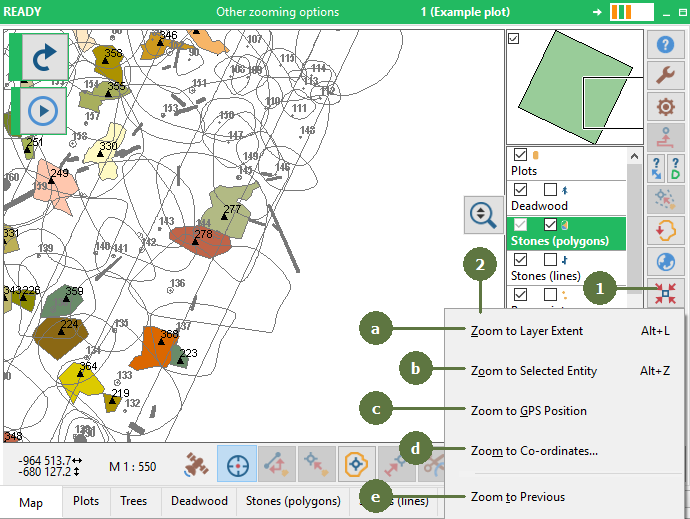
Zooming is a smart function to save you much time while working with map. You can select one of the following options.
Zooming to layer extent allows to display all entities of active layer.
Zooming to current position ensures to zoom in your current position at the appropriate scale.
Zooming to previous returns map back to previous extent.
Zooming to selected entity allows to zoom in your selected entity.
|