|
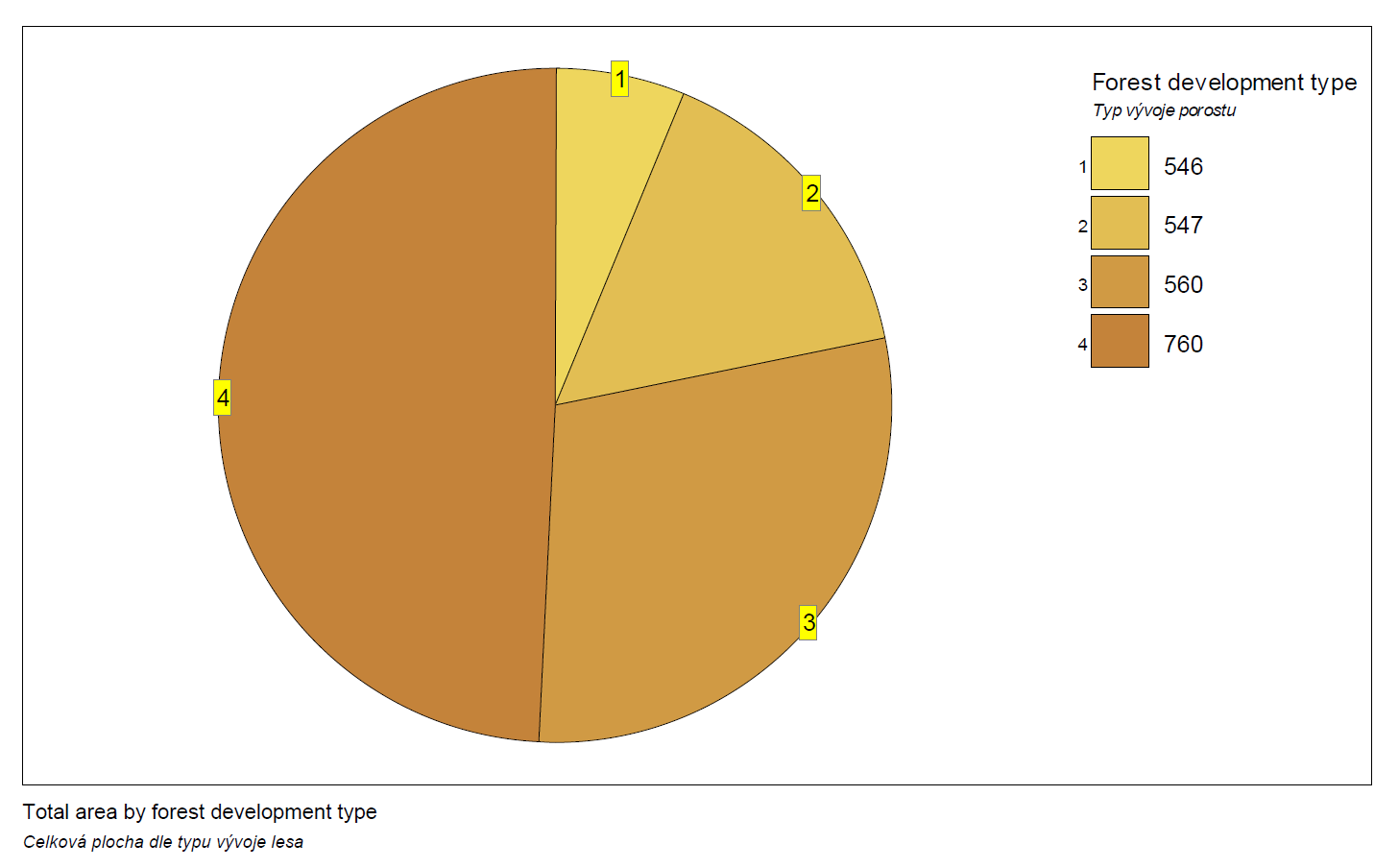
The result of this task shows distribution of the total study area (forest land) among different types of forest.
Requirements:
For that task is necessary to run the stratification by forest development types (see Stratification) and to set plot/subplot area to 500 m2 (see Set plot/subplot area action).
Procedure:
- Add new task and rename it.
- Select “Plots (Plots)” layer.
- Select “Plot(Plots).Area, ha (Area_ha)” attribute.
- Set “ha” in the Units combo box and number of decimal places of your choice (e.g. 2).
- Select “Forest development type (Forest development type)” in Stratifier section and tag Use stratifier in output checkbox.
- Select Total and desired Alpha (e.g. 0,05) in Statistics section.
- Run the task using Perform button.
Comments:
Whole plot is assigned to particular forest development type while performing stratification. At the same time the total area of each forest development type is calculated based on existing vector map (shapefile).
Area is expressed in ha and multiplier is not set because our study area is rather small (132 ha). For bigger study areas might be useful to set multiplier to make output more readable.
Setting attribute ForestDevelopmentType as stratifier increases precision of the output since there is available information about size of the stratums derived from the map of forest development types. We may also assume that the variability within particular stratum is smaller than variability within whole population, thus calculated confidence interval is going to be smaller.
Total is selected and no weight is necessary for this task since each plot has to belong to some forest development type and all of them have same weight equal to 1 (whole area of 500 m2 belongs to particular forest development type).
Because the calculation is based on the plot, not tree level, the including/excluding trees of regeneration segment, hasn’t any effect on the result.
Screenshots:

Results:

|