|
Create virtual trees for regeneration – running
|
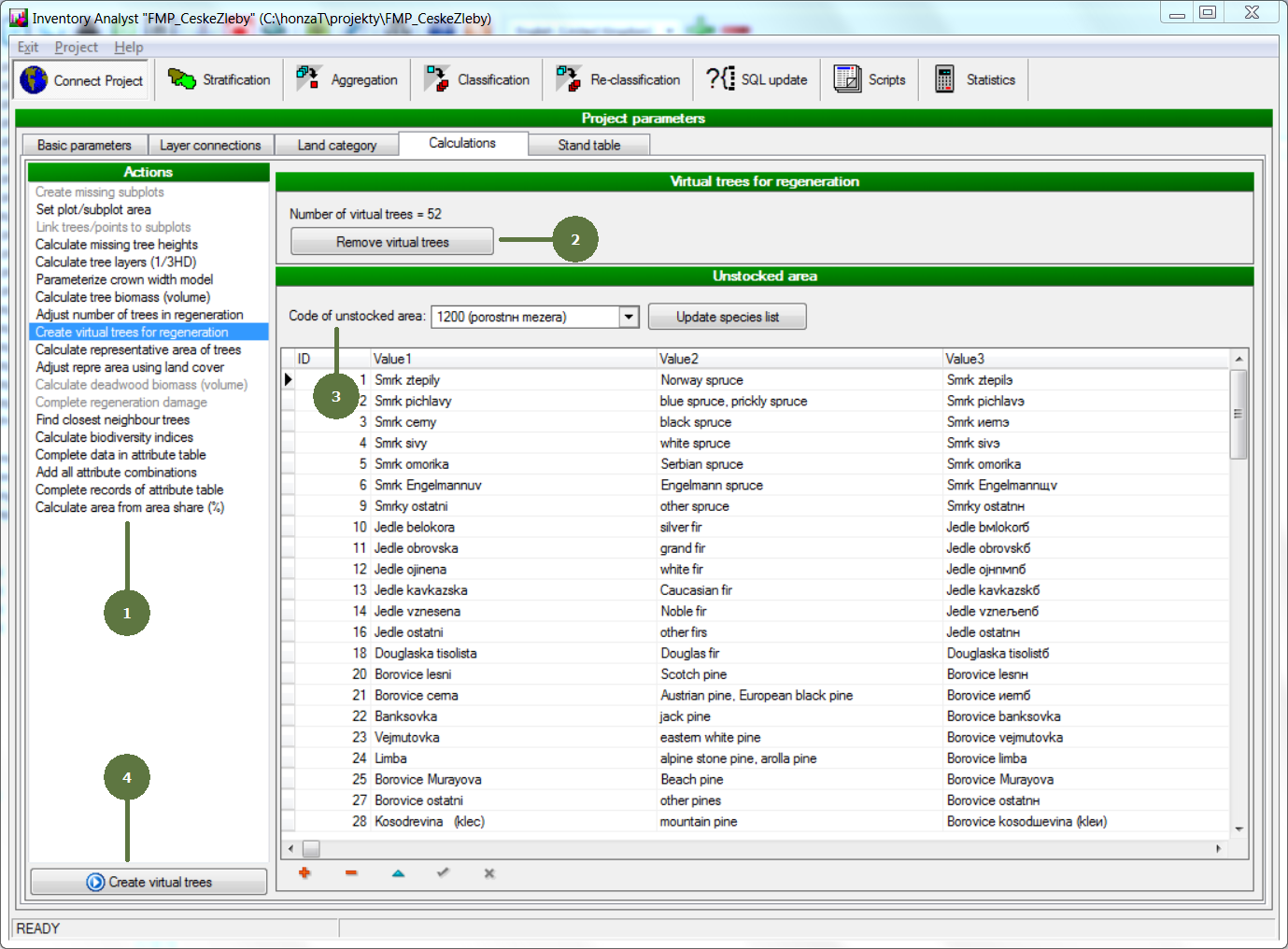
- Choose the Create virtual trees for regeneration action
- Optionally click the Remove virtual trees button if any (This apply if source data were changed - e.g. new finished plots were added to the database - to remove once created virtual trees. Later the procedure of creating virtual trees is performed again for all plots.)
- Choose the code for the unstocked areas to enable further identifying unstocked areas
- Click the Create virtual trees button
|