|
Re-classification tool regroups classified data into new categories (e.g., species into groups of species, soil types into reference classes).
Combine with source
If there are some source cases which are not grouped in new classes, you may either choice to ignore them (i.e. entity with value of source lookup list will have empty value in new lookup list) or to automatically add these source classes to new lookup list by tagging respective tag box.

You can copy lookup list structure and scheme of group items to clipboard.

|
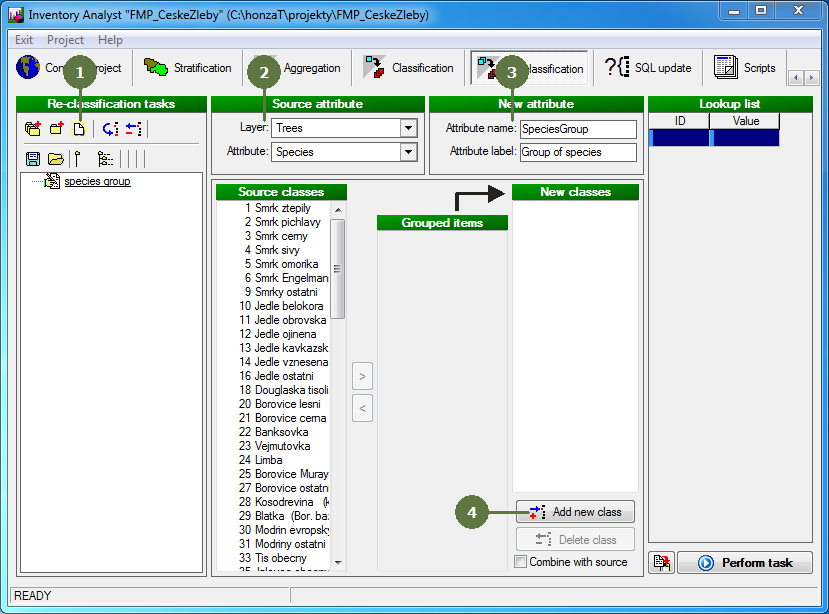
- Add a new task
- Set the source layer and attribute of lookup list type
- Fill in the name and label of a new attribute (i.e. lookup list attribute, which will contain group items of source lookup list
- Click Add new class button
- Fill in ID and name of new item of grouped lookup list
- Click OK button
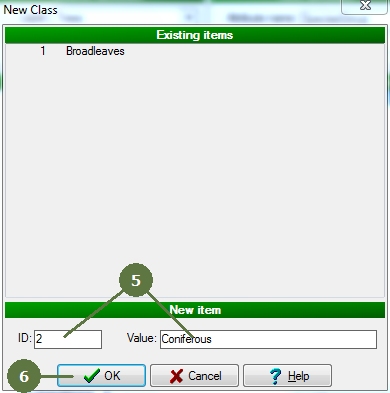
Repeat steps 5 and 6 until you create all groups of items
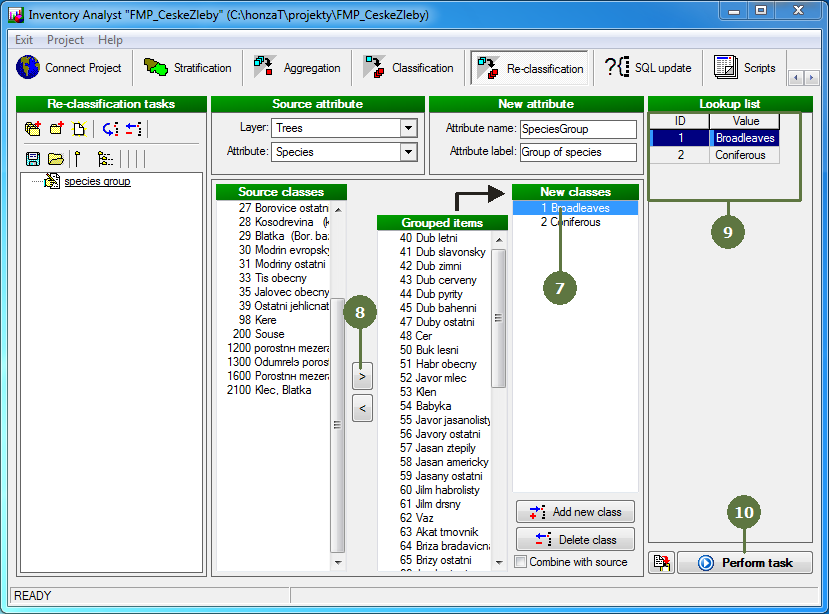
- Select one of new classes in their list
- Select those entries of source classes, which should be assigned to selected class of new lookup list and click right arrow button
If you want to remove some items from the list of already grouped items, simply select it and click left arrow button
- Preview of new lookup list appears on the left side of window
- Click Perform task button
- After running re-classification procedure new lookup list attribute containing grouped items is created in the structure of database
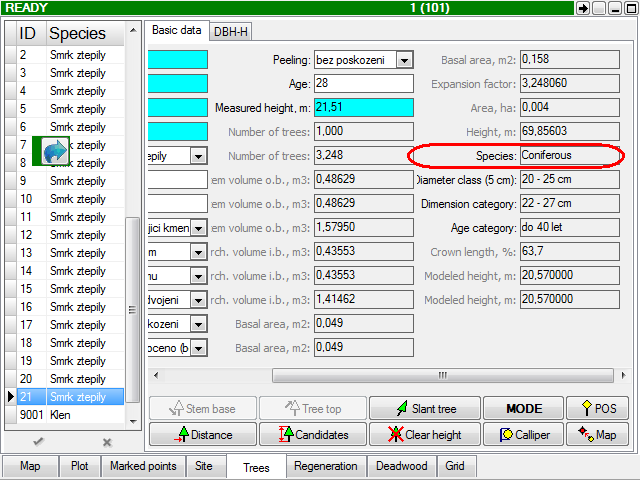
Screenshot from Field-Map Data Collector
|