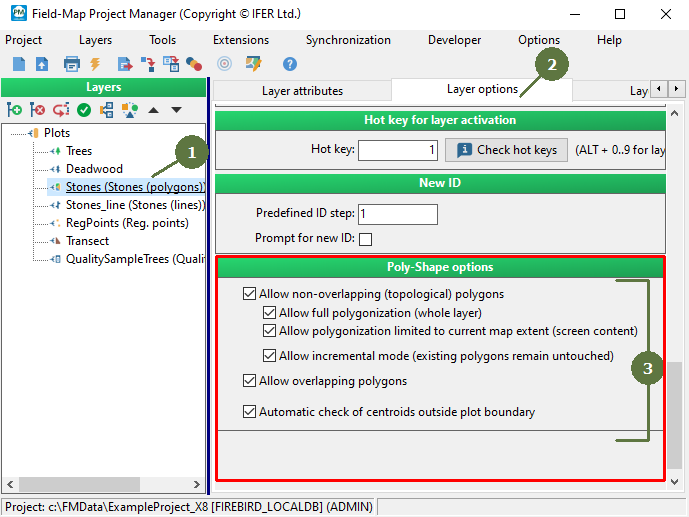
3.25 Setting Poly-Shape options


Working with layers > Setting Poly-Shape options
|
These polygons fulfill topological rule of non-overlapping. They can have common borders, but they cannot overlap. A polygonization can be based on the whole layer or only on the current map extent. If an incremental mode is active, a newly created polygons are added to those previously existing in a polygonal layer. Overlapping polygons There can be polygons, which overlap each other. Note: These settings work only as making Poly-Shape options available to be selected by user. The definite decision which type of polygonization will be performed is done when a user starts Poly-Shape tool (see Field-Map Data Collector help). In other words, a settings described on this page influence only which options will be available to a user when defining Poly-Shape parameters. |
|