5.1 Exporting data


|
Field-Map Project Manager can export all data tables and lookup lists into MS Access file / MS Excel file or into XML format. Note: Export function exports only the data tables; shapefiles are not exported. Exporting to Access When exporting to Access, it is possible to build relations between layers and relations between layers and lookup lists. Exporting to XML When exporting to XML, it is possible to include/exclude attributes from export |
|


Examples of exported data
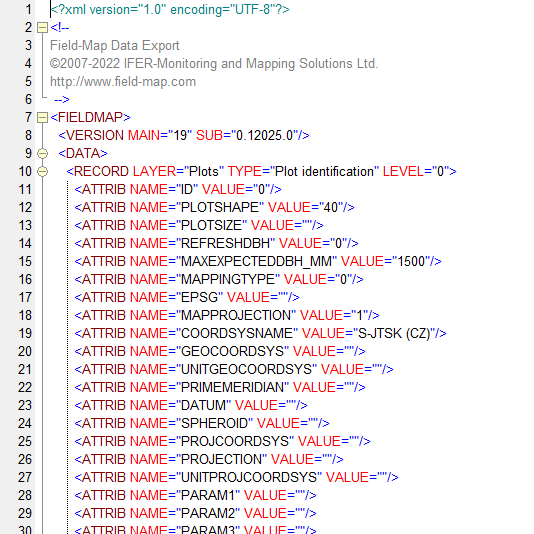
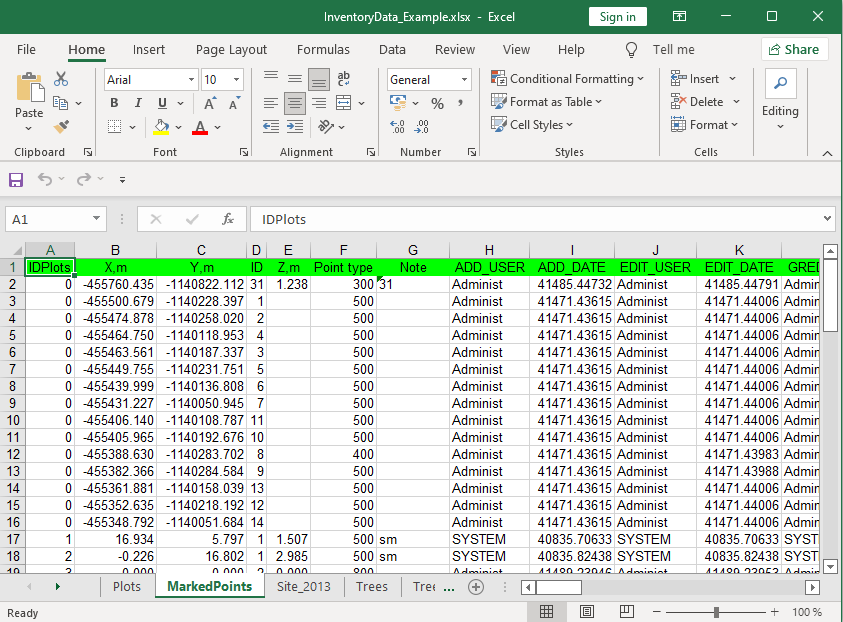
Following examples demonstrate how the exported data of a Field-Map project looks like when exported to MS Access database, MS Excel table or XML exchange format.
According to the selected database type Field-Map either asks for destination folder to store the output file (files) or a predefined location in the project directory is used.
Example of data export to MS Access (output folder to store the MDB file can be selected)

Example of data export to MS Excel (output folder to store the XLS file can be selected)
Example of data export to XML (output folder can be selected)