|
The pole length plays an important role in calculating Z co-ordinates. In some cases you might not see the reflector on the range pole due to dense foliage, but you could see the lower part of the range pole. Therefore it is often necessary to change the pole length during measurement. If you change the position of the reflector on the range pole you must change the setting of the pole length. It is also possible to set the main pole length in settings.
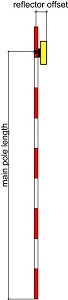
When measuring in plot where you often have to change between 2 or 3 levels of pole length (e.g., you find it useful to measure in 1 m above the ground, but in the case of young tree individuals you have to measure in 2 m because of dense crown not allowing to reach specified offset of pole from the stem) you can create the list of pole lengths and simply switch between them without necessity of typing the value again and again.
|
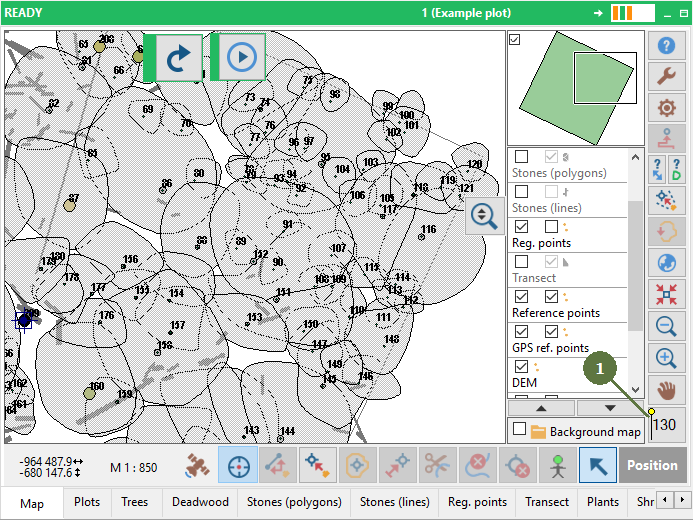
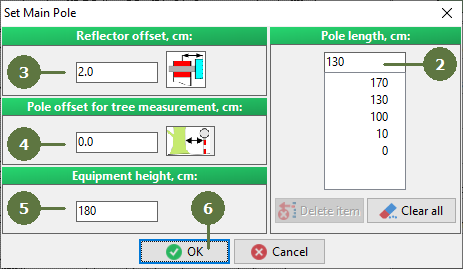
- Click the Set Main Pole Length button
- Type the pole length
- Type the reflector offset
- Type the pole offset for tree measurement
- Type the equipment height
- Click OK
|