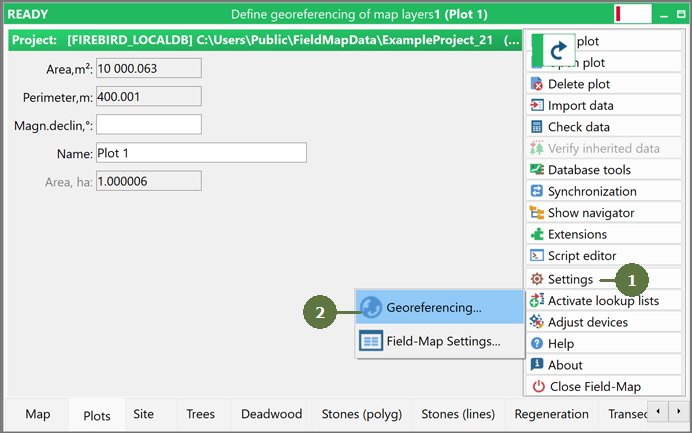
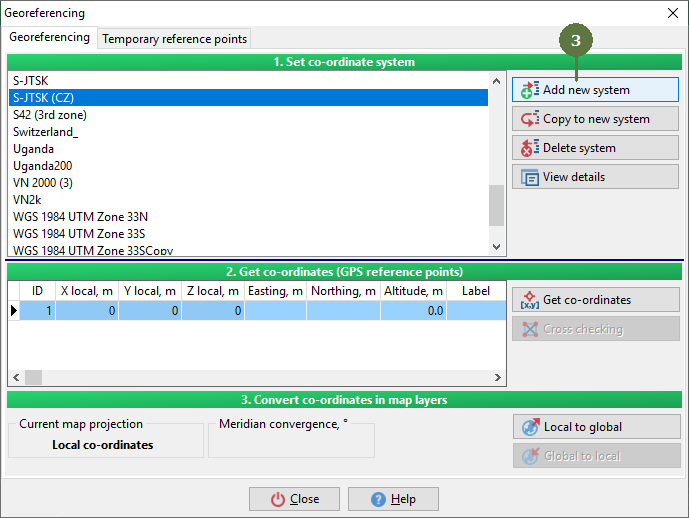
16.1.1 Adding new system
|
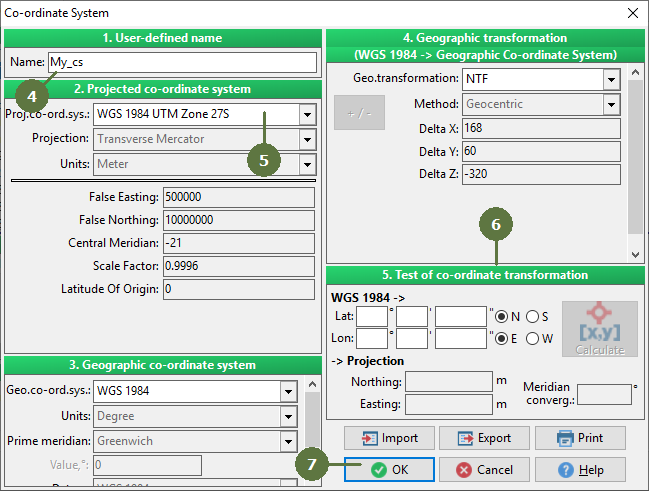
Besides adding a new system, you can also import a system from ESRI projection file (*.prj). Simply (while adding new system) click the Import button and open the PRJ file. Exporting system To export the system to PRJ file, click the Export button. User defined system You can choose a system from a large list of predefined systems, but you can also choose a “User defined” system and define all parameters yourself. Transformation When you define your own transformation, you can check its performance in the “Test of co-ordinate transformation” window. Note: For the easy converter to appear click the right mouse button on a value window. |
All other parameters are filled automatically
|