|
Set plot / subplot area
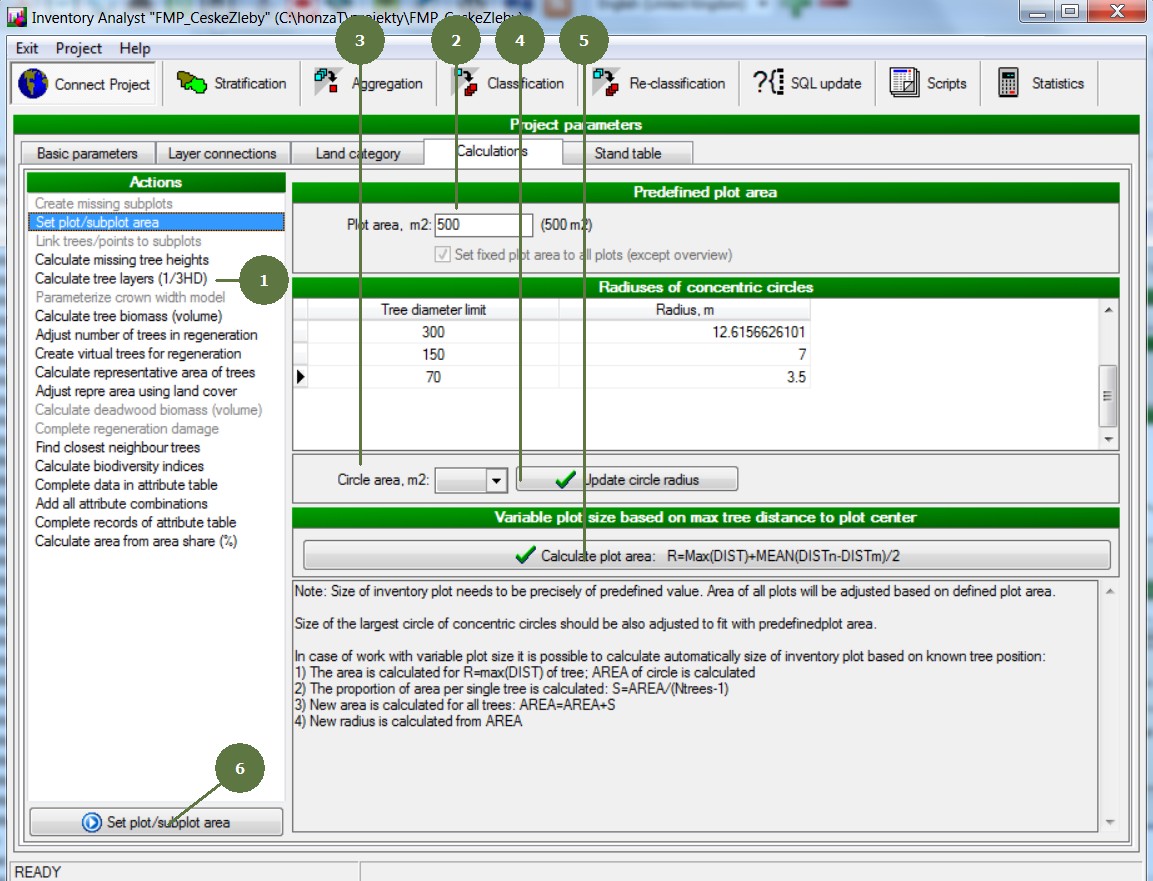
– running the action
|
- Choose the Set plot / subplot action
- Fill in the Plot area
- Fill in the Plot area of concentric circles if any
- Click the Update circle radius button
- Optionally click the Calculate plot are button to calculate areas for plots with variable size
- Click the Set plot/subplot area button
|