|

|
4.21 Deleting items from a lookup lists
|


|
Working with layer attributes > Deleting items from a lookup lists
|
Deleting items from a lookup list
Prior to any change to the lookup list, make sure that you know about all the existing links to this lookup list. A lookup list may be used by more attributes (e.g. Cover lookup list can be used for Cover of shrubs, Cover of plants or Cover of rocks…).
Note:
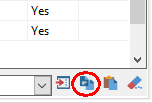
The content of a lookup list can be copied to the clipboard and pasted to another one. The content of the lookup list can be deleted at once by clicking the appropriate button.


|
- Select the item that you want to delete.
- Click the Delete item from lookup list button.

- Click OK to confirm.

- The item has been deleted.

|
© 2024 IFER Monitoring and Mapping solutions, Ltd.