4.2 Attribute type definition (detailed)


Working with layer attributes > Attribute type definition (detailed)
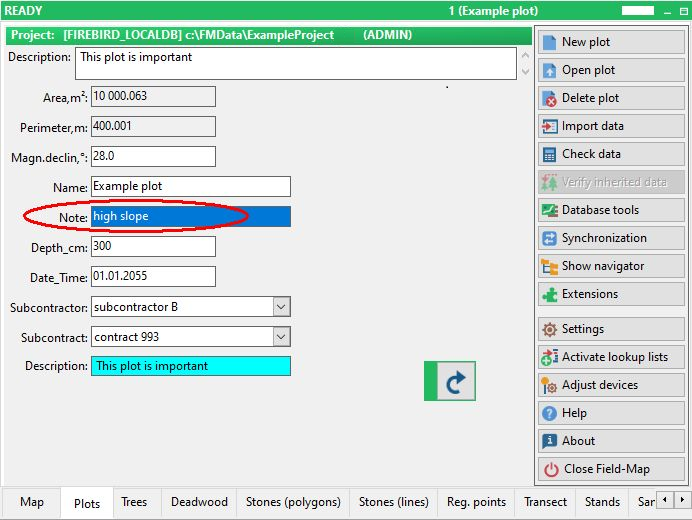
String is set to 10 characters by default. You may increase this limit up to a maximum of 255 characters.
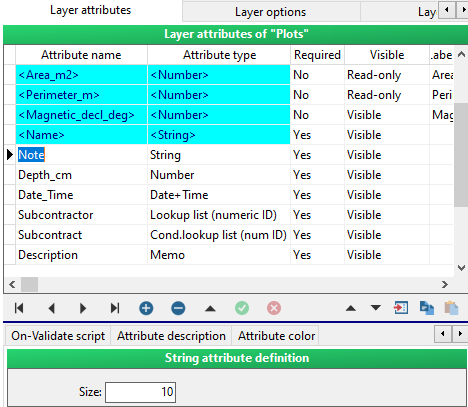
screenshot from Field-Map Data Collector
Number is a 4 byte integer (values may range from –2147483648 to 2147483647). If you use decimal places, it changes to an 8 byte floating point (its values may range from 5 E–324 to 1.7 E308 and it has 15 to 16 significant digits).

screenshot from Field-Map Data Collector

You may also select, whether to use a gap as a thousand separator (123 456 789) or not (123456789).

screenshot from Field-Map Data Collector

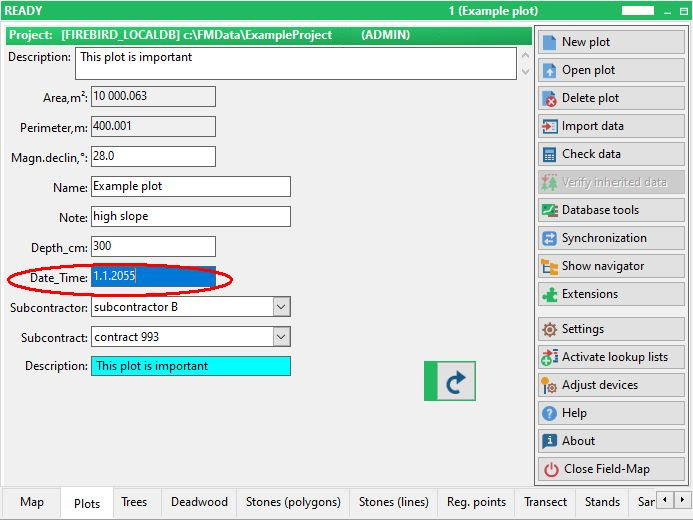
Date & Date+Time is in a format defined by the Regional settings in Windows Control panel. There are no options for changing this attribute type.
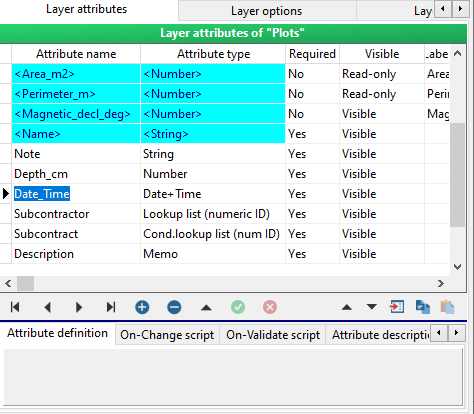
screenshot from Field-Map Data Collector
Lookup list is a table consisting of four (or six) columns: ID, Value (or Value2, Value3), Active and OrderField.
ID is a unique identifier of a lookup list item.
Value is a descriptive text used in Field-Map Data Collector.
Active enables and disables the lookup list item for Field-Map Data Collector.
OrderField gives the order in which the items of the lookup list appear.
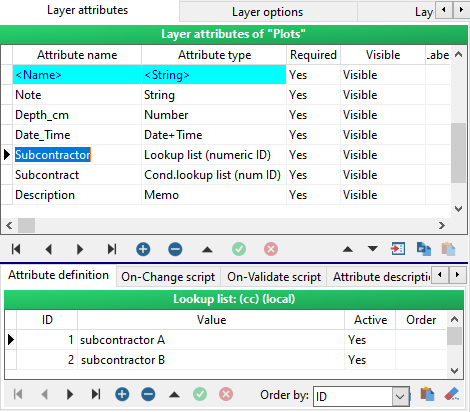
screenshot from Field-Map Data Collector

Conditional lookup list is a table consisting of five (or 7) columns:
Master, ID, Value and Active.
The Master column contains items from the master lookup list. When a Master item is selected in the master lookup list, then the subset of items becomes available in the conditional lookup list.
ID, Value, Active and Order have the same meaning as they have in the ordinary lookup lists.
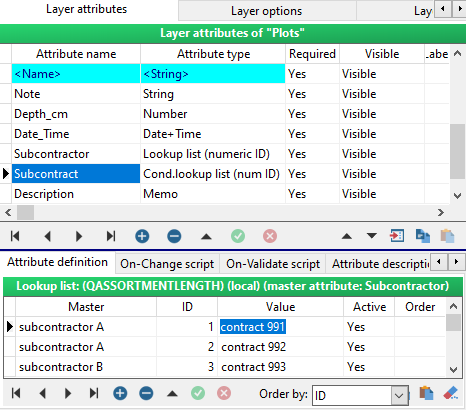
screenshot from Field-Map Data Collector

Height is an attribute type that reads data from an electronic inclinometer. This attribute is added automatically for trees, but if you need to measure height for any other entities than trees, such as shrubs, bird nests, etc., you might find this attribute type useful to add.
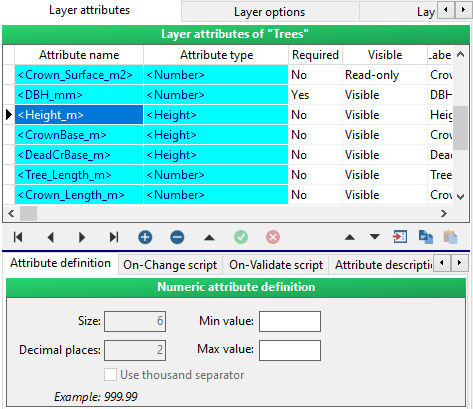
screenshot from Field-Map Data Collector

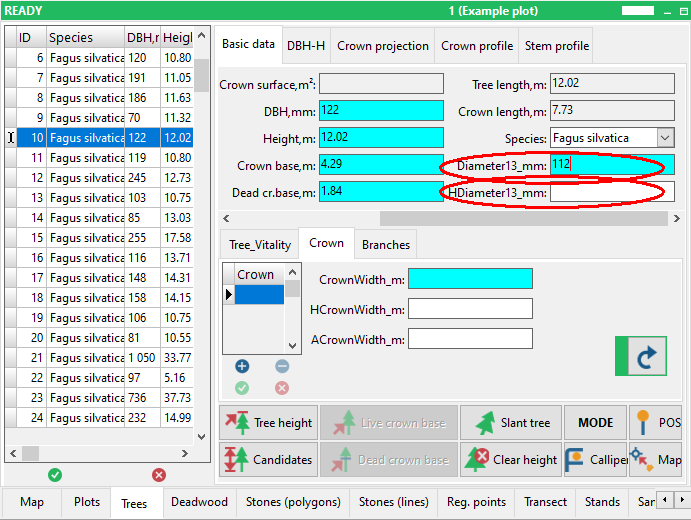
Tree diameter is an additional diameter measured typically at height differing from the breast height. Add this attribute to your “Trees” layer if you need to measure an additional diameter, e.g. at the height of 7 meters.
If you use a laser and an optical device for remote diameter measurement and need to record the exact height of the diameter measurement, add another attribute named the same as the diameter attribute starting with the letter H, for example “HDiameter”. It will automatically record the height value coming from the laser together with the diameter value.
The name must be the same up to an underscore, which is usually used to delimit the name of units.


screenshots from Field-Map Data Collector


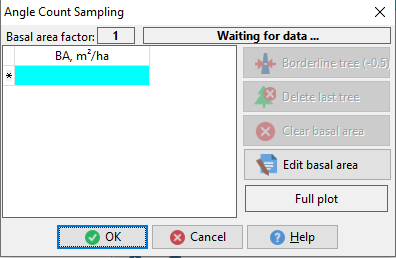
Basal area (Dendroscope) enables to calculate the basal area of a tree using an angle count sampling method (relescopic method) and laser rangefinder TruPulse Dendroscope.
In the first step select a basal area factor (BAF) – factors are available according to a currently set and used TruPulse Dendroscope.
Shoot to trees using TruPulse Dendroscope and built-in optical BAF scale inside TruPulse. Each measurement will be counted by Field-Map as 1. For a border tree (counted as ½) click Border line tree (-0.5). You can delete the last measured tree (button Delete last tree), clear the whole basal area (button Clear basal area) or manually edit the basal area.
Field-Map corrects basal area according to the slope!
When the measurement is finished the calculated basal area is stored in the database.

screenshots from Field-Map Data Collector

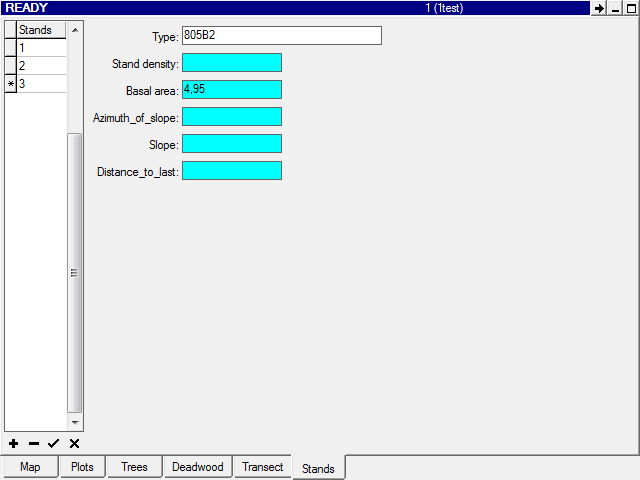
Stand density can estimate the density of a forest (recalculated to ha) using the number of trees on a circular plot with a predefined size.
In the first step you have to visually estimate and set a mean breast diameter of trees around (for elimination of border trees) and set plot radius. Then by using a laser rangefinder you shoot the trees around. All measurements outside of a plot are ignored. In the parameter of neighbouring distance you can set minimal distance between trees (by default it is 0.5 m). It helps you to recognize the situation to measure one tree twice. The tree, which is closer to another one than the predefined distance is ignored. When the measurement is finished the calculated stand density is stored in the database.
You can prepare an attribute of type Memo with the same name as the attribute for stand density but with the suffix XML (e.g., when StandDensity is the main attribute of type Stand density, where the calculated density will be stored, then StandDensityXML is the attribute of type Memo). If such attribute is available, Field-Map will automatically store to it in XML format all the data which have been set and measured. This information can be used in associated scripts or further data processing.
Example of XML:
<?xml version=”1.0” encoding=”UTF-8”?>
<DENSITY RADIUS=”5” DBH=”34” COUNT=”4” DENSITY=”509” TOLERANCE=”0.5”>
<TREE X=”4.91” Y=”-0.79”/>
<TREE X=”1.55” Y=”-1.22”/>
<TREE X=”0.19” Y=”-0.64”/>
<TREE X=”-0.72” Y=”0.94”/>
</DENSITY>

screenshots from Field-Map Data Collector


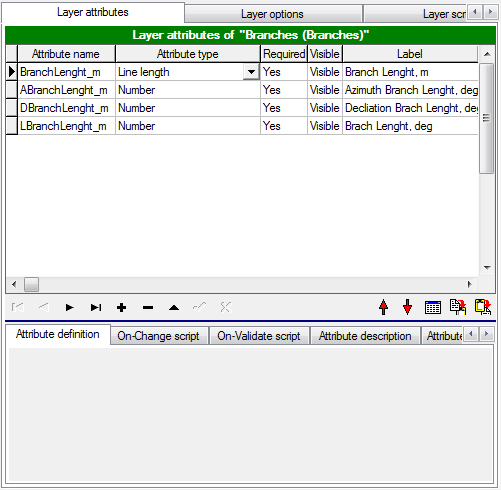
Line Length is a floating point number representing the length of a line.
No options are available for the Line length type attribute.
This attribute supports: a general line (two-dimensional or three-dimensional distance) and a projected line (e.g., length of branches).
When a projected line is measured, you can measure the line length using either one or two positioning points. Two points are used to determine the azimuth of the line. Also, the precision is better if two points are used. These points can be placed randomly anywhere on/under the line.
If you know one (or two) points on the line, you can start to measure the line length.
screenshots from Field-Map Data Collector
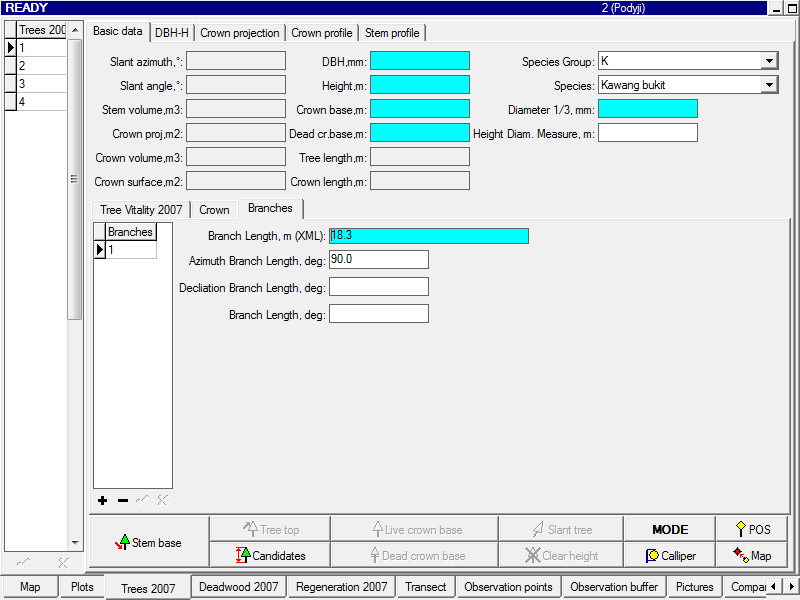

Line Length (+coordinates) is a binary attribute (memo); it represents the length of a line.
The whole definition of the attribute Line Length is also valid for this attribute.
This attribute stores to database the total length of a line, the azimuth and the declination between the measuring equipment and the first point on the measured line. It also enables to store the X, Y, Z coordinates of one or two points used to project the line (referred to as “Point 1” and “Point 2”) and the X, Y, Z coordinates of all the points measured on the line. All these coordinates are related to the position of the measuring equipment (local origin of coordinates; 0, 0, 0). The data are stored in XML format.
If there is a Line Length (+coordinates) attribute defined in a layer (e.g. BranchLength), three other optional attributes can be created with the same name as the Line Length (+coordinates) attribute and a meaningful prefix A for Azimuth (e.g ABranchLength), D for Declination(e.g. DBranchLength) or L for Line length (e.g. LBranchLength). These are numerical attributes which automatically extract and store azimuth, declination or line length from the Line Length (+coordinates) attribute of the same name.
Example of XML:
<ANGLE>
<AZIMUTH VALUE=”108.000” />
<DECLINAION VALUE=”58.100” />
<\ANGLE>
<COORDINATES>
<POS XYZ=”0.000$0.000$0.000” />
<POINT1 XYZ=”0.000$10.000$-0.300” />
<POINT2 XYZ=”5.878$8.090$-0.300” />
<POINTS>
<POINT XYZ=”1.506$9.511$0.963” />
<POINT XYZ=”2.939$9.045$1.902” />
<POINT XYZ=”3.651$8.814$2.385” />
<POINT XYZ=”3.794$8.767$1.911” />
<POINT XYZ=”4.371$8.580$2.407” />
</POINTS>
</COORDINATES>

screenshots from Field-Map Data Collector


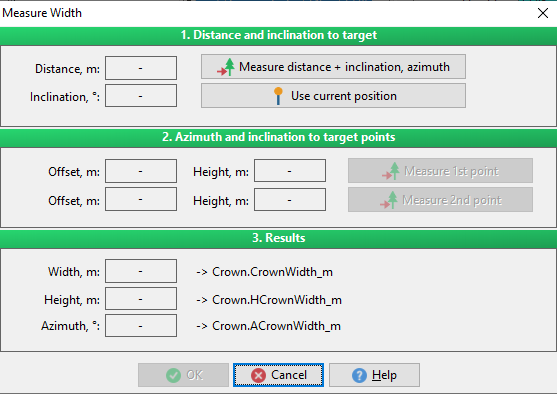
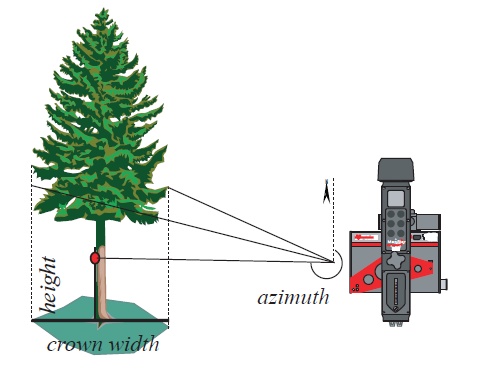
Width (+height, azimuth)is a floating point number representing the width of a line (usually used for measuring the width of a crown projection).
There is a possibility to automatically store the height of the measured line and the azimuth between the measuring equipment and the measured line (position of reflector).
To enable this functionality, create numerical attributes with the same name as the attribute Width (+height,azimuth) with a prefix H or A (e.g. “HCrownWidth” or “ACrownWidth”).
The name must be the same up to the underscore which is usually used to delimit the name of the units.
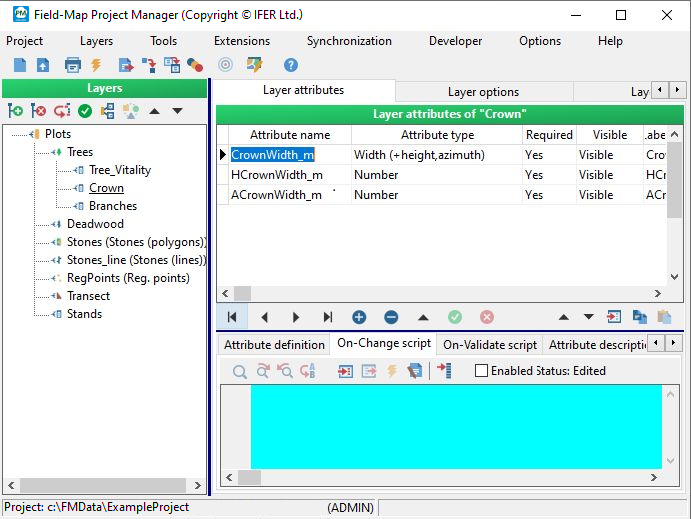
screenshots from Field-Map Data Collector

Distance attribute enables to record the horizontal or slope distance directly from an electronic rangefinder.
When the laser rangefinder TruPulse 200B or 360B is used, Field-Map automatically sets a proper measure mode directly in TruPulse.

screenshot from Field-Map Data Collector

Azimuth attribute enables to record the azimuth directly from an electronic compass. The azimuth value is stored in degrees (deg) or gons.
When the laser rangefinder and electronic compass TruPulse 360B is used, Field-Map automatically sets a proper measure mode directly in TruPulse.

screenshot from Field-Map Data Collector

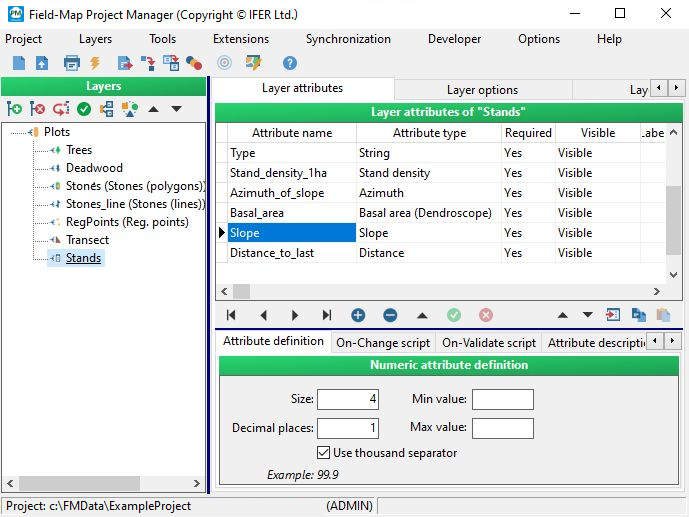
Slope attribute enables to record the slope angle directly from an electronic inclinometer. The slope value is stored in degrees (deg) or in percentage (%).
When the laser rangefinder and electronic inclinometer TruPulse 200B or 360B is used, Field-Map automatically sets a proper measure mode directly in TruPulse.
screenshot from Field-Map Data Collector

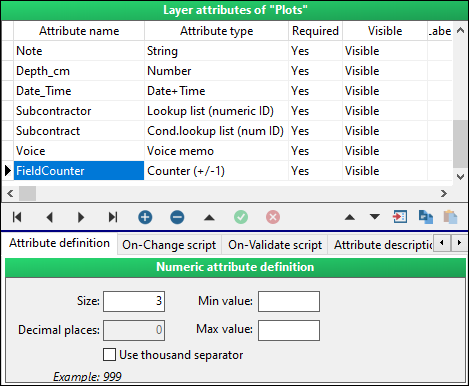
Counter is an attribute type that can be handy if a user needs to change an attribute value by a step of +1 or –1. It can be done easily by clicking the arrows.
screenshot from Field-Map Data Collector

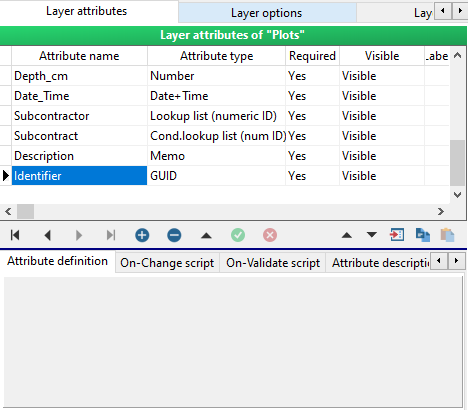
GUID is used to generate unique identifier. Double clicking into the attribute box generates an unique code of 32 hexadecimal characters.screenshot from Field-Map Data Collector
screenshot from Field-Map Data Collector

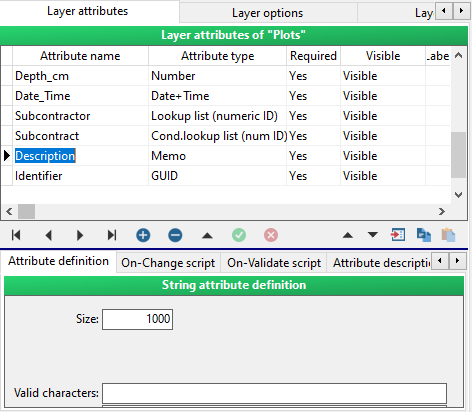
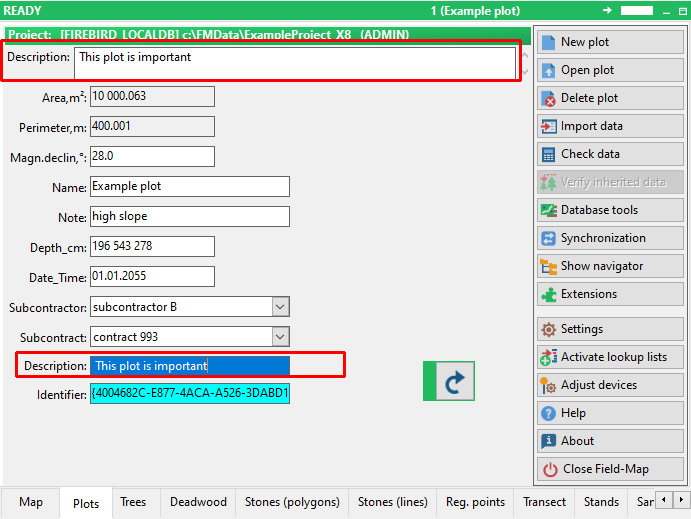
Memo is an attribute type which can hold up to 64 000 characters. It uses more memory than a string attribute type. Separate window opens when editing attribute of this type. If there is description or memo as part of attribute name a wide box is shown at the top of plot form.
screenshots from Field-Map Data Collector

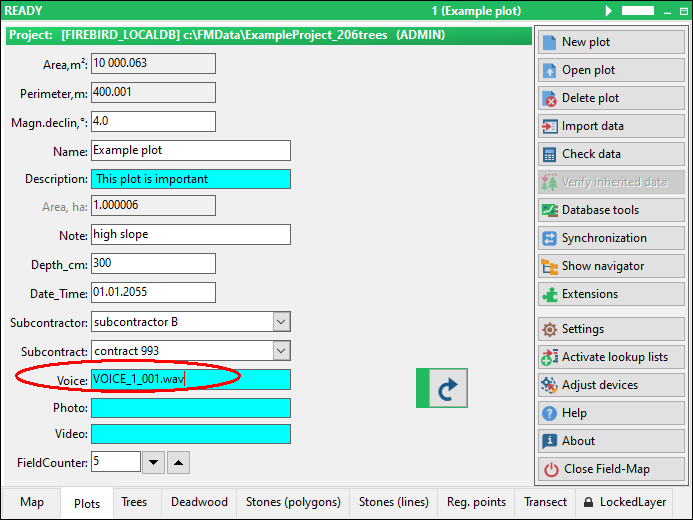
Voice memo can record voice messages. It uses a wav format. Sound files are stored in the “Voice” folder located in the project directory.
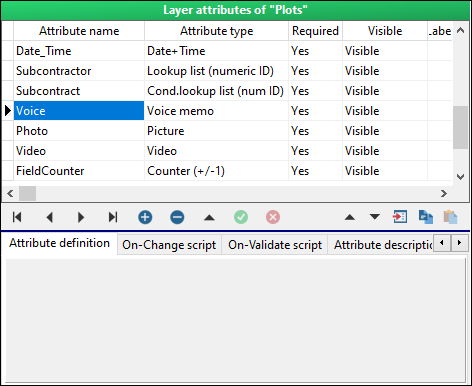
screenshots from Field-Map Data Collector

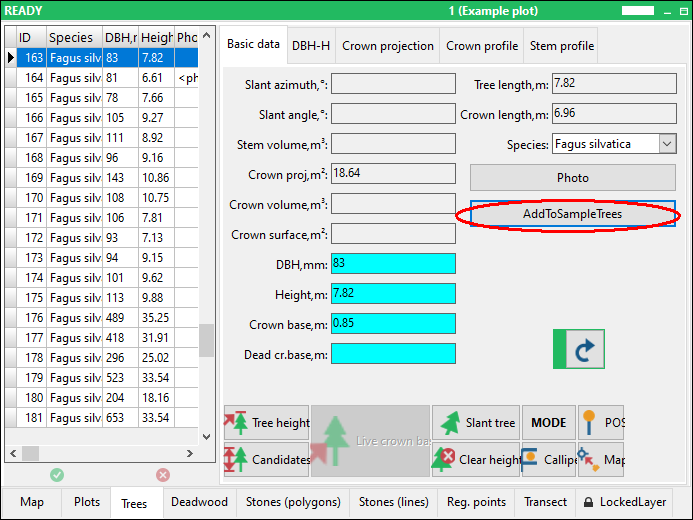
Button attribute can be used to run a user defined script. In Data Collector it is represented as a button with a label. You can prepare e.g. on-change script for volume calculation and the script is executed when you click the button (see the chapter “Field-Map scripting”).
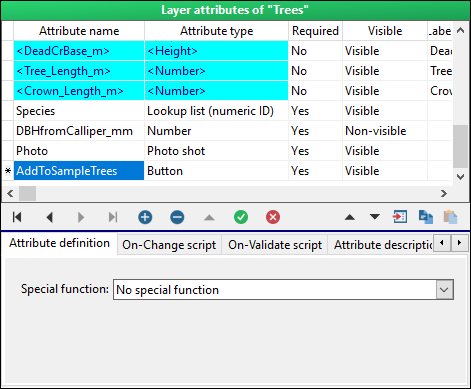
screenshot from Field-Map Data Collector
Picture stores a link to a picture. You can import or register pictures saved on your disk. When registering a picture, it retains its original location. By importing a picture, you copy it to the “Pictures” folder located in the projects directory.
Field-Map works with png, fax, tif, tiff, dib, rle, jpg, jpeg, jfif, bmp, emf, wmf, ico and other picture formats.

screenshots from Field-Map Data Collector

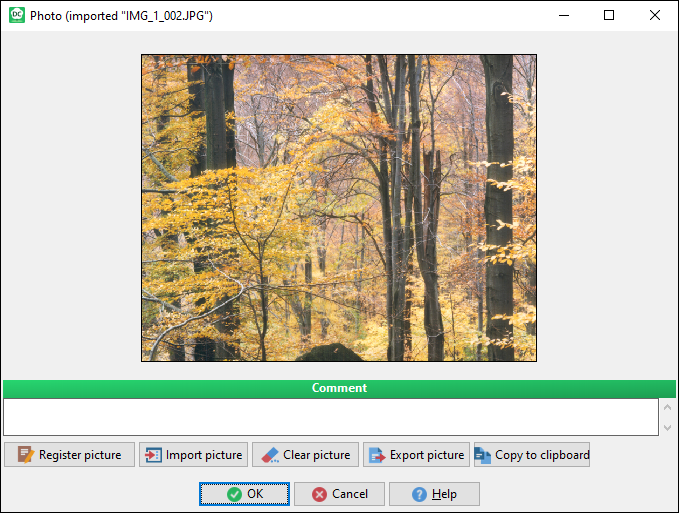
Photo shot attribute is similar to picture attribute, but in addition you can take a picture directly from Field-Map Data Collector. There are two ways possible to acquire an image that you can choose from Field-Map Data Collector settings. Unlike in Picture attribute, the images are stored directly in a database Blob field.

screenshots from Field-Map Data Collector


A - Option photo size limitation (database overload protection)
B - Support importing or copying pictures from clipboard

Video stores a link to a video file. You can import or register videos saved on your disk. When registering a video file, it retains its original location. By importing a video, you copy it to the “Videos” folder located in the project directory.
Field-Map works with avi, wmv and mpeg video formats.

screenshots from Field-Map Data Collector
