help

4.6 Copy / Paste attribute definition

previous 

next 

Working with layer attributes > Copy / Paste attribute definition

Note:

An attribute definition can be pasted to any layer of the project.

  1. Select the Layer that you want to copy an attribute from.
  2. Select the Attribute that you want to copy.
  3. Click the Copy attribute definition to clipboard button.


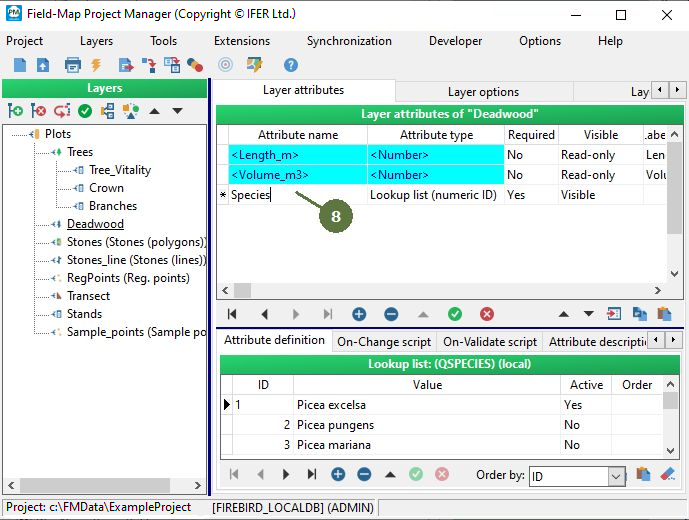
  1. Select the Layer that you want to copy the attribute to.
  2. Click the Add new attribute button.
  3. A new row appears in the list of attributes.
  4. Click the Paste attribute definition from clipboard button.


  1. The copied attribute is pasted.


© 2024 IFER Monitoring and Mapping solutions, Ltd.