|
Get attribute values from points to polygons / polygons to centroids
This function enables to attach and transfer attributes between points/centroids/trees and polygons. When no point/tree/centroid is selected in the map, transfer of attribute values is applicable for all records. When some points/ trees/centroids are selected, transfer of attribute values is applicable only for the selected records.
From Polygons to Polygons
This is special type of attaching attribute function, available only for polygonal layers. It transfers the value from one (source) polygonal layer to another (target) polygonal layer. First, the intersection of each source layer polygon with borders of target layer polygons is calculated. Subsequently, the respective attribute value of the largest source polygon inside target polygon (or source polygon with the largest area inside target polygon) is assigned to target layer attribute table. Be aware that the function does not take into account possible higher total extend of more small polygons of the same category comparing the largest polygon.
Assign fields by name option
If the fields that contain attributes have identical names both in Field-Map and the imported file, it is possible use this option to assign the fields automatically.

|
- Make a point/tree/polygon layer active
- Select point(s)/tree(s)/ centroid(s) you want to attach attributes to
- Click the Tools button

- Click Get Attribute Values and select one of the options:
- Get Attribute Values ... From Points to Polygons (available for polygonal layers)
- Get Attribute Values ... From Polygons to Centroids (available for polygonal or point layers)
- Get Attribute Values ... From Polygons to Polygons (available for polygonal layers)
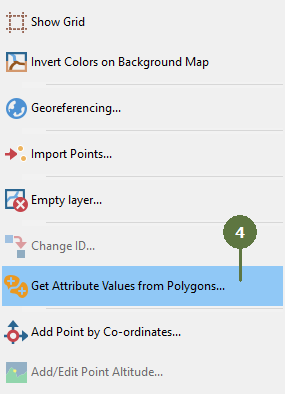 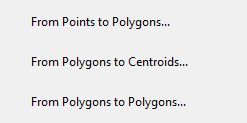
Note: These functions available only for polygon layers
- Choose the layer with the attributes that you want to transfer
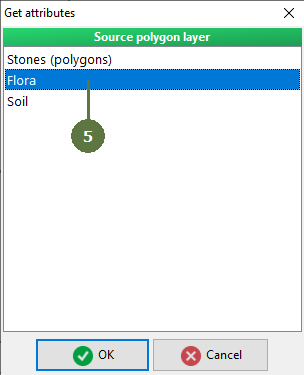
- Assign the attributes that you want to transfer
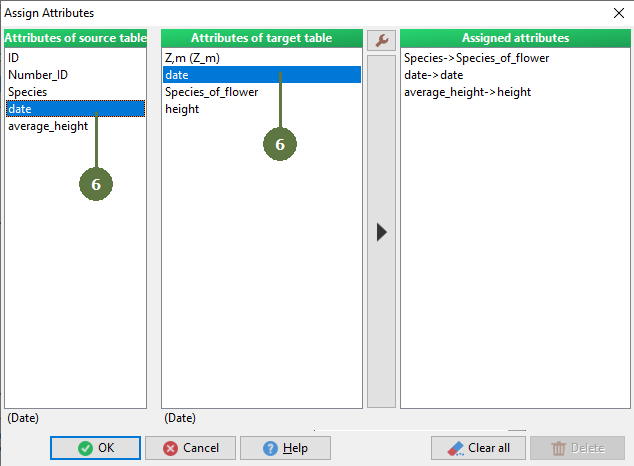
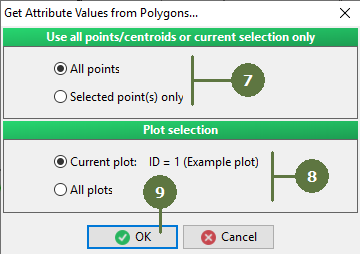
- Decide if you want to use All points or Selected point(s) only
- Decide if you want to transfer attributes just for the active plot or for all plots
- Click OK
|