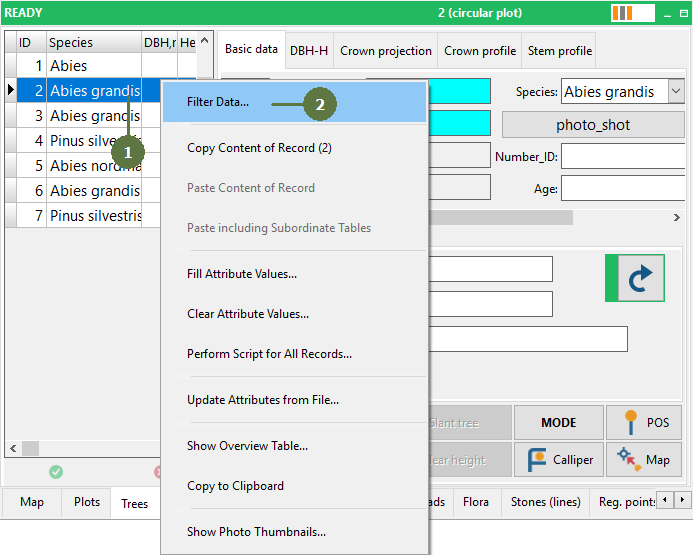
19.13 Query builder
|
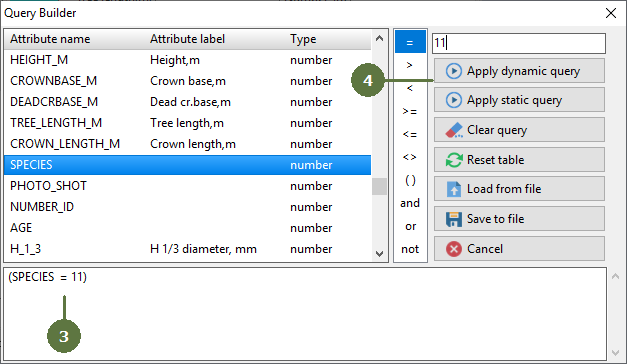
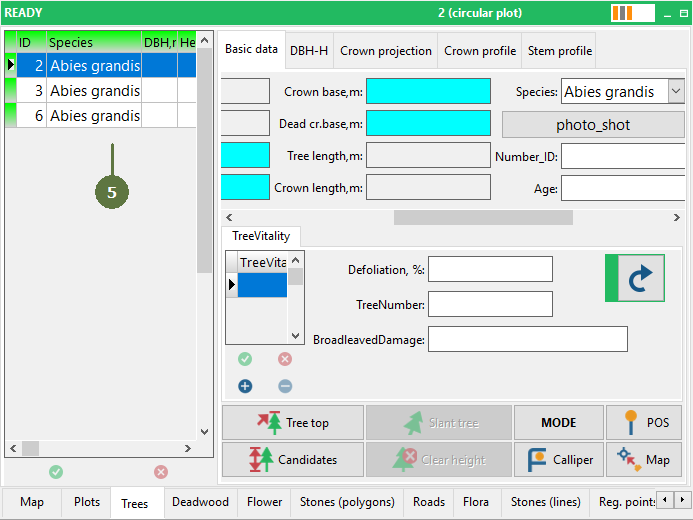
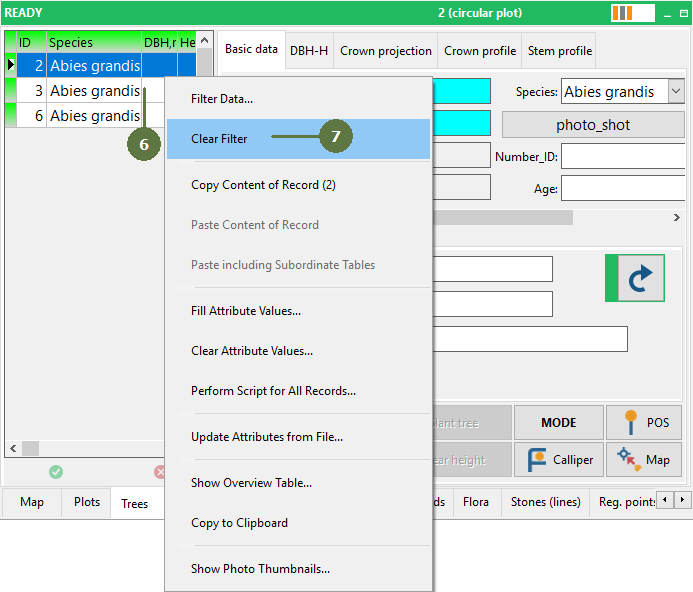
Use Query builder to reduce the list of records. The Query builder lets you build the SQL expression which you can also save to file and use in other projects. Apply dynamic query Applies dynamic query to the table. SQL engine can get varying statements whenever used. Apply static query Applies static query to the table. The statement of static query is always submitted in the same way. Clear query Erases the content of a query form Reset table Displays all records in the table (clears all queries applied to the table) Load from file Loads the expression from the file Save to file Saves the expression you have made to the file Query builder can also be used in the same way for other layer types (points, lines, etc.) Deleting entities selected by SQL builder Selected records can be deleted by using an “Empty Layer...” function located in Map/Tools/Empty Layer... . |
A Query builder pops up
Note: the Species attribute is a numeric lookup list
|