|
When performing repeated measurements of trees or point entities it may be useful to be able to select entities by laser. If there is no entity in the vicinity of current position of the measurement pole you are aiming at, you will receive warning message.
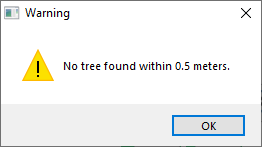
The radius for searching the entity is defined in settings.

You can use this selection on tree, point and line layers.
|
- Double click the map layer from which you want to select an entity
- Click the Select entity using laser button

- Shoot to the the reflector at the main pole that is in front of the tree or above the point you want to select

|