Exactly at reference point

If you stand exactly at a point that is already established in the map, you can define your positioning exactly to the point where you are standing (except for points in tree and deadwood layers). Positioning into a selected point on a line and a point on a line of a polygon is also possible.


A point must have a Z co-ordinate and a tree point must have a DBH, then you can use the function Currently selected point.

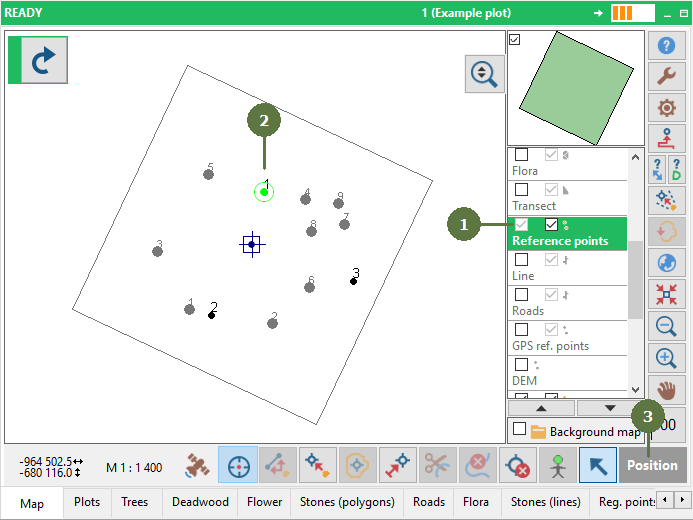
  1. Double click the layer containing the point to which you want to change your position (it does not have to be the Reference points layer)
  2. Select the point in the map
  3. Click Position button


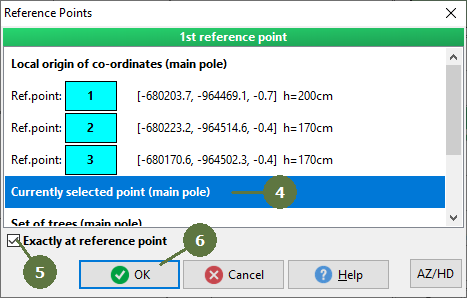
  1. Select the currently selected point item
  2. Tag the Exactly at reference point check box
  3. Click OK


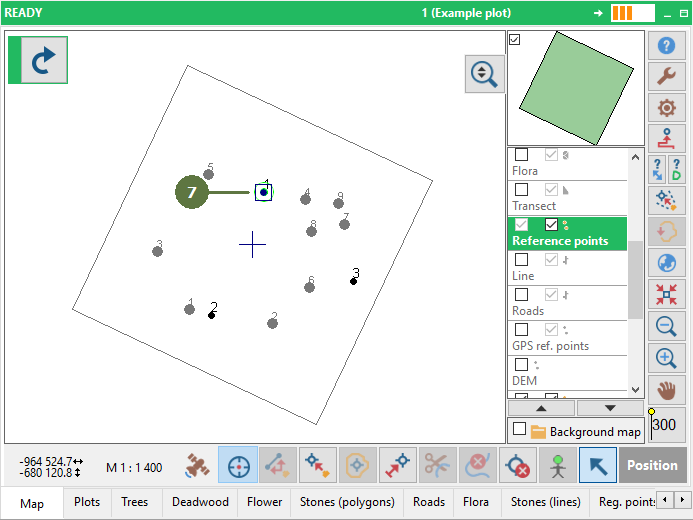
  1. The dark blue square (your position) is moved to the point. Now you can perform the measurement from this point


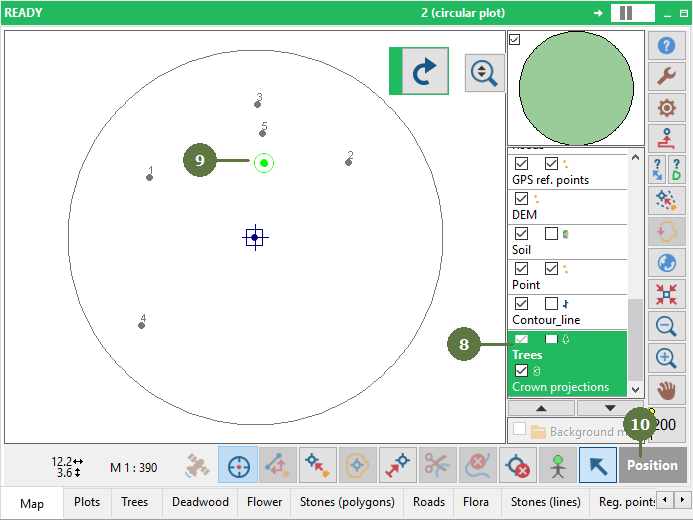
EXAMPLE Tree Layer


  1. Select a tree layer
  2. Select a tree
  3. Click Position button


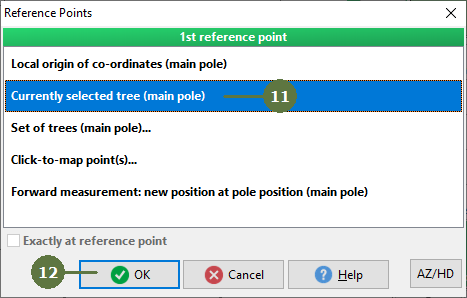
  1. Select Currently selected tree
  2. Click OK


  1. A Measurement Data window appears


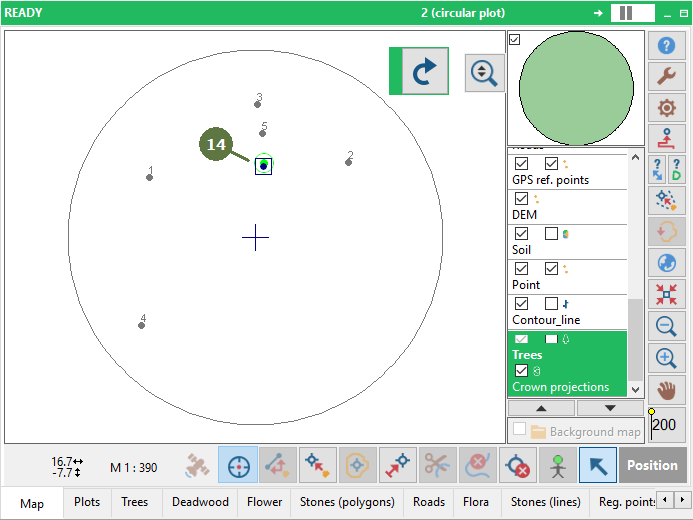
  1. Result