help

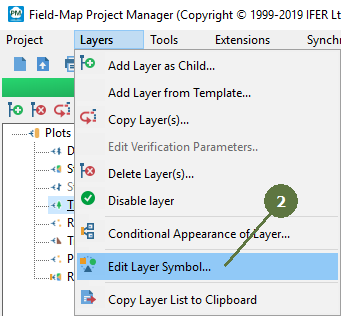
3.9 Edit layer symbols

previous 

next 

Working with layers > Edit layer symbols

Layer symbols

Map layers of the same type (point, tree, line, …) will appear with the same symbol (points with black circle marker, lines with black solid line, …). Changing a map symbol for each individual layer will make the map easier to read.


Map symbols can also be changed later in Field-Map Data Collector.

  1. Select the layer which you want to change the symbol for.


  1. Select the menu item Layers > Edit Layer Symbol.


  1. or click the button on the the layer toolbar.


  1. Refer to the chapter Field-Map Data Collector settings > Layer symbol settings in Field-Map Data Collector help.


© 2024 IFER Monitoring and Mapping solutions, Ltd.