|

|
5.13 Creating a set of plots
|


|
Using tools > Creating a set of plots
|
Creating a set of plots
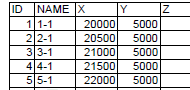
A statistical inventory usually uses a grid of circular plots of the same size. It would be inconvenient to establish every single plot individually in Field-Map Data Collector. Thus the function “Create set of Plots” automatically generates a set of plots based on an imported table containing four mandatory columns (see the example below).
|
- Select the menu item Tools > Create Set of Plots.

- Choose either circular or rectangular plots (if enabled).
- Type the dimensions of plots into the input box.
- Click OK.

- In the new window click the Open List of Plots button.

- Select the file containing the table with the list of plots and click Open.
The table displays values in the left column.

- Assign fields and click OK.

- Click the Create plots button.
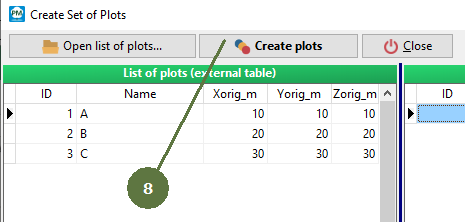

- At the end of the procedure, an information message pops up.
|
© 2024 IFER Monitoring and Mapping solutions, Ltd.