6.4 Re-classification


Data processing tools > Re-classification

Order of procedures:
- Add a task
- Select the source attribute. The source classes appears.
- Add the target attribute
- Add a new class of the target attribute
- Select the source classes that should be reclassified into a new class and move them using the arrow button.
- Repeat this procedure for all the target classes.
- Perform the task
Note:
All attributes from the source classes have to be re-classified.
- Working with tasks
Each defined re-classification task can be saved for possible further use.The filename extension of the saved re-classification tasks is rec. Tasks can be organized into groups and subgroups. Add group
 Add subgroup
 Add task
 Copy task
 Delete group/task
 Export task
 Import task
 Full collapse
 Full expand
Full collapse Full expand

- Source attribute
The source attribute is the attribute to be re-classified.
Select the layer and the attribute of the selected layer by choosing from the list of available layers and attributes. - New attribute
The new attribute will be appended to the source data table and it will contain the information about the newly calculated classes. Fill in the name of the attribute and the label. - New classes
A list of newly created classes.
New class window:
Fill in an ID and a value of a new class that you want to create and click the OK button.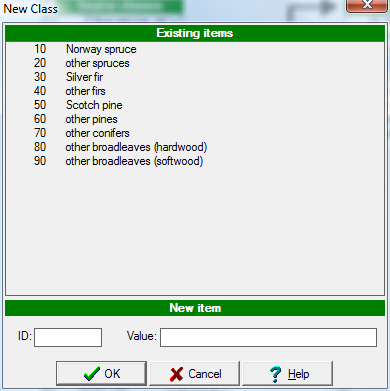
- Add new class
Click the Add new class button to add a new class. - Delete new class
Click the Delete new class button to delete a class. - Lookup list
A list of the newly created classes to which the source attribute should be reclassified. It is possible to create a completely new one or to add the new classes into the source lookup list.
It is possible to create a completely new lookup list or to add the new classes into the source lookup list.
- Source classes
A list of source classes that will be reclassified into new classes. - Grouped items
A list of items chosen from the list of source items that will become a new class.
Use these buttons to move the items between the list of available source classes and the list of selected items that should be grouped into a new class.
- Perform task
Click this button to store the new attribute with the new classes in the source layer data table.