|

|
9.3 Changing project database structure via synchronization
|


|
Synchronization > Changing project database structure via synchronization
|
Only admins and powerusers are able to add changes made in database structure to Synchro Journal.
Note: Project must be compiled prior to posting its structure to Synchro Journal.

|
- Change the structure of project database in Field-Map Project Manager (e.g. delete attribute)


Note: The pictures above are only the example. Definitely, you can share all kinds of changes made to the project database via synchronization procedure (e.g., adding/deleting attributes, adding/deleting layers, renaming layers/plots, etc.)
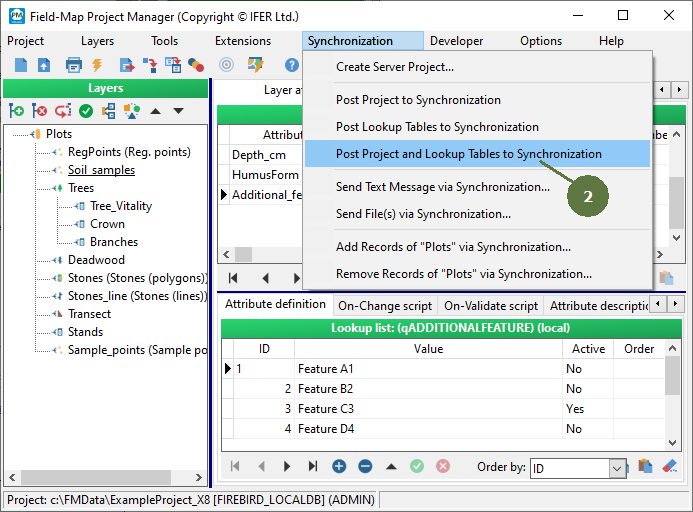
- Select the menu item Synchronization > Post Project to Synchronization

or select the menu item Synchronization > Post Project and Lookup Tables to Synchronization.
- An information window appears, click OK.
 or or
- Subsequently, if you synchronize the project with server in Field-Map Data Collector, changed project structure will be uploaded on server project. Any user can, finally, synchronize his/her own project and get the modified project.

Screenshot from Field-Map Data Collector after synchronization performed. See Field-Map Data Collector Help for additional information.
|
© 2024 IFER Monitoring and Mapping solutions, Ltd.