|

|
9.2 Changing lookup list structure via synchronization
|


|
Synchronization > Changing lookup list structure via synchronization
|
Only admins and powerusers are able to add changes made to lookup table to Synchro Journal.
|
- Change the structure of lookup lists in Field-Map Project Manager (e.g. add entry).

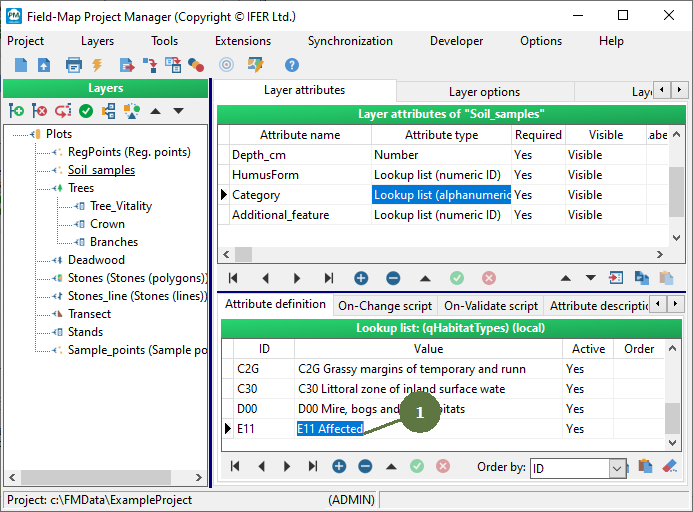
Note: The pictures above are only the example. Definitely, you can share all kinds of changes made to lookup list via synchronization procedure (e.g., ordering, changing name of entry, new lookup lists, etc.)
- Select the menu item Synchronization > Post Lookup Tables to Synchronization.
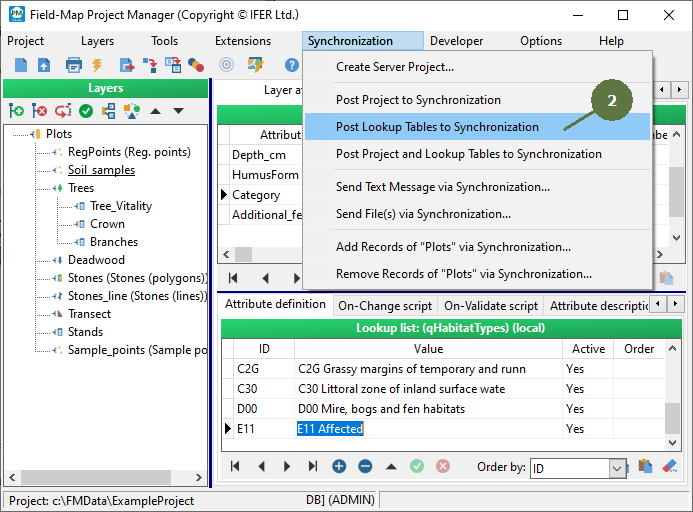
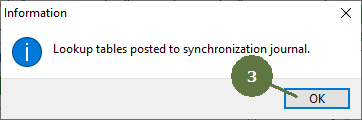
- An information window appears, click OK.
- Subsequently, if you synchronize the project with server in Field-Map Data Collector, the changed structure of lookup list will be uploaded on server project. Any user can, finally, synchronize his/her own project and get modified lookup tables.

Screenshot from Field-Map Data Collector after synchronization performed. See Field-Map Data Collector Help for additional information.
|
© 2024 IFER Monitoring and Mapping solutions, Ltd.