3.2 Adding layer as a child


Working with layers > Adding layer as a child
|
Generally, you can add more layers of the same type into one project except transect layer; only one transect layer can be placed in each project. You can add more layers of tree type or deadwood type into one project, but only one can be active; others are disabled (hidden in project and not available in Field-Map Data Collector). |
|


Adding a new map layer (point, line, polygon, tree, deadwood, transect)
Map layers can only be placed as children layers to the root layer (Plots).
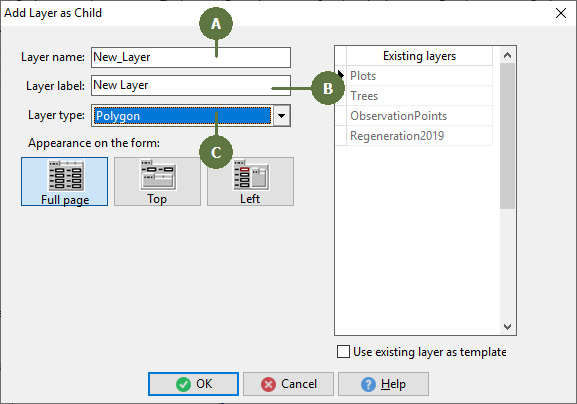
- The Layer name refers to this layer in the database. Spaces are not allowed when typing the layer name (they are automatically replaced with _). The maximum number of characters to be used is 8 (Plots) and 32 (all other layers).
- Layer label may differ from the layer name. The layer label will appear in Field-Map Data Collector.
- Layer type specifies which layer attributes will be obligatory in the database.
Adding a new data layer (data)
Using data layers, it is possible to build a complex, multilevel relational database. You can use both Plots or any of map layer as a mother layer.
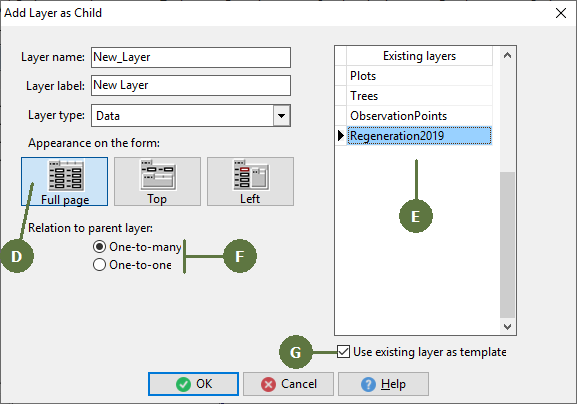
- The Appearance on the form is set by default to Full page. You may change this appearance to Top or Left. (For a detailed explanation see Appearance on the form).
- These are the Layers defined in the opened project. They may be used as templates while creating a new layer.
- Relation to parent data layer defines the relation between a parent layer and a newly added child data layer. One-to-many relation means that you can create more records in the child data layer for every single record in the parent layer.
- Checking this option enables you to choose an existing layer from an opened project as a template.